Best Mug Press Machine for Sublimation & Heat Transfer
Find the best mug press machine for your needs. Compare top-rated heat presses for mugs, tumblers, and more. Perfect for DIY crafters and small businesses.
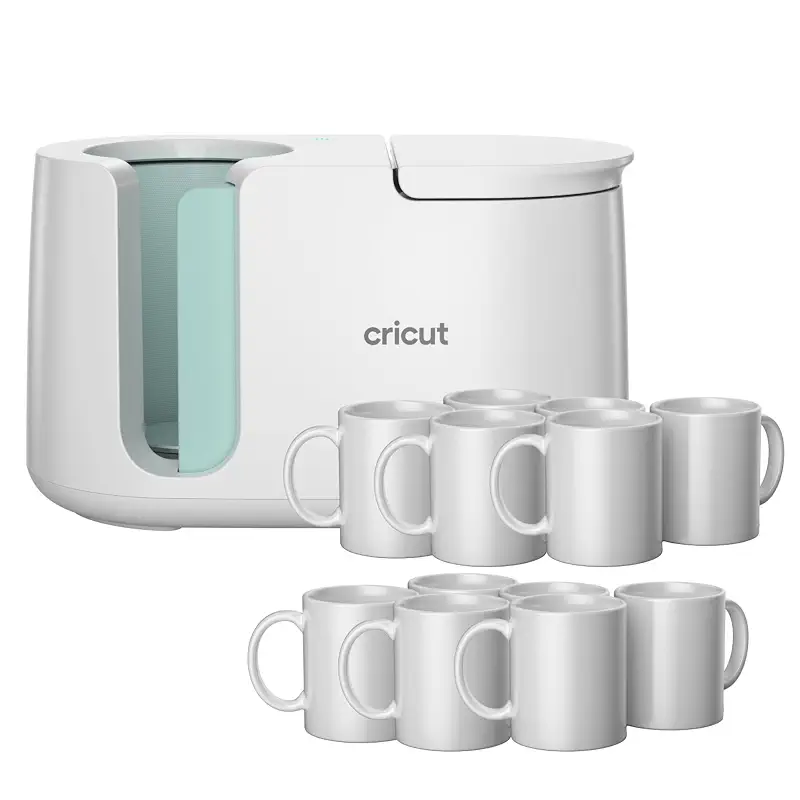
The Cricut Mug Press stands out because it removes the variables that trip up beginners and frustrate experienced crafters alike. There's no temperature dial to second-guess, no pressure knob to tweak, and no timer to watch. Drop a mug in, close the lid, and walk away; the press handles the rest and signals when it's done. That one-touch reliability is what buyers consistently praise in reviews, calling the results "professional" and "even" every single time. The included 12 blank mugs sweeten the deal, letting you start creating immediately without hunting for compatible blanks.
The press is optimized for Cricut's Infusible Ink system, which is a real strength if you're already in the Cricut ecosystem or willing to adopt it. However, that specificity is also a limitation. While some users report success with sublimation ink via third-party transfer sheets, the machine is really designed around Infusible Ink. If you're committed to sublimation or DTF transfers on a wider range of mugs, the BetterSub 40 OZ Tumbler Mug Heat or Slendor 8 in 1 Swing offer more flexibility on material and brand compatibility.
The compact, lightweight design is a major practical win for home crafters and small vendors with limited counter space. A few users noted it doesn't count down after the first cycle, so you'll need an external timer for back-to-back mugs, but that's a minor friction point in an otherwise streamlined experience.
Pros
One-touch automatic heat and pressure, no manual settings
Consistent, peel-proof results on Infusible Ink transfers
Bundle includes 12 ceramic blank mugs to start immediately
Compact and lightweight, ideal for small workspaces
Cons
Optimized for Infusible Ink, less flexible with other transfer methods
No countdown timer between cycles, requires external timing
Key features
Patented zone-heating plate for even heat distribution
Works with 11 oz to 16 oz ceramic mug blanks
Auto-off safety feature, UL and CSA certified
USB registration and Design Space integration with Cricut machines
#2 Pick
Best Versatile Multi-Use Option
Slendor
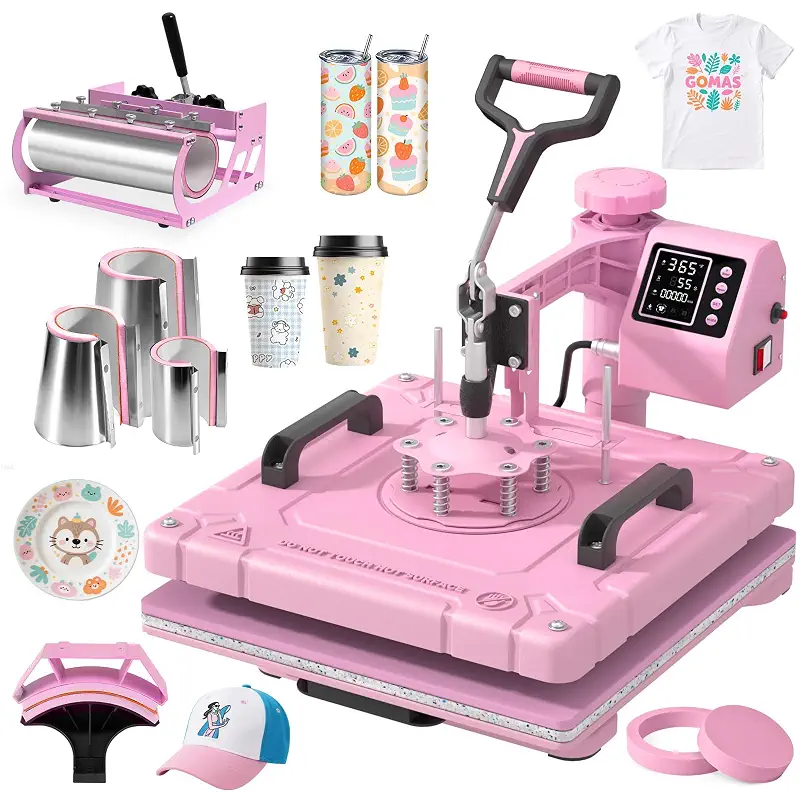
Slendor 15x15 Inch 8 in 1 Swing Away Heat Press Machine for T Shirts | For DIY Creators & Small Businesses, Create T-Shirts, 30oz Tumblers, Mugs, Hats, Plates & Gifts with Even Heat & Pressure
4.4(97)
Eight-in-one system with swing-away design and swappable attachments for mugs, tumblers, hats, plates, and shirts.
Ideal for: Small business owners, DIY makers wanting to offer multiple product types, apparel decorators adding mugs as sideline work.
The Slendor 8 in 1 Swing is a workhorse for anyone who wants to move beyond mugs. The package includes attachments for 30 oz tumblers, six different mug and cup sizes, caps, and two plate presses, plus the main 15×15 inch platen for t-shirts. That versatility in one machine appeals to small business owners who want to offer a product range without buying five separate presses. The swing-away arm is genuinely useful; it swings the heating plate to the side so you can position your item without burning yourself on an active surface.
Temperature and time are fully programmable via digital control (0–482°F, 0–999 seconds), which gives you much more latitude than the Cricut. You can dial in settings for sublimation, HTV, and other transfer methods. Buyers who used it primarily for t-shirts report beautiful, even coverage. A few users noted random temperature fluctuations mid-press, which ruined sublimation projects: a real problem if precision is critical. The mug and tumbler attachments are narrow, so you'll need to test fit any mugs or tumblers before committing; one reviewer couldn't fit their tumbler at all.
Compared to the BetterSub 40 OZ Tumbler Mug Heat, which narrows focus onto cup-based work, the Slendor pivots toward t-shirt and general apparel work as its core strength, with cups as a secondary application. That focus shift affects whether temperature stability matters more or attachment breadth does.
Pros
Eight interchangeable attachments cover shirts, mugs, tumblers, hats, and plates
Swing-away and 360-degree rotation for safe, easy positioning
Full temperature and time control for different transfer methods
Digital LCD display with Fahrenheit and Celsius options
Cons
Temperature fluctuations reported mid-cycle on some units
Mug and tumbler attachments are narrow, compatibility varies by cup brand
Key features
15×15 inch main platen with Teflon-coated aluminum heating plate
Temperature range 0–482°F, adjustable pressure knob for material thickness
Six mug press sizes plus tumbler, hat, and plate attachments included
Time and temperature presets with audible alarm alert
#3 Pick
Best for High-Volume Mug and Tumbler Work
BetterSub
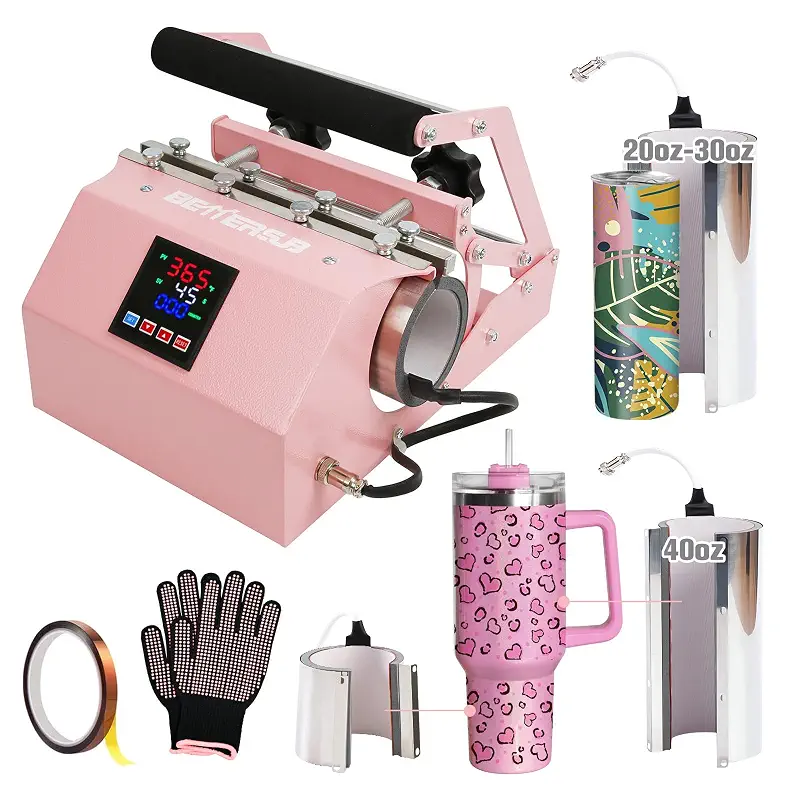
BetterSub 3in1 40 OZ Tumbler Mug Heat Press Machine 30 OZ 20 OZ 16 OZ Sublimation Straight Skinny Tumbler Mug,11 OZ 15 OZ 16 OZ Sublimation Mug Heat Transfer
4.5(339)
Specialized three-in-one system with dual mug capacity and expandable attachments for 11–40 oz cups.
Ideal for: Tumbler and mug-focused makers, small businesses with high cup volume, crafters wanting dual-press efficiency.
The BetterSub 40 OZ Tumbler Mug Heat is purpose-built for people whose primary output is mugs and tumblers, not t-shirts or hats. It ships with split attachments for 20–30 oz tumblers and a massive 40 oz tumbler head, plus dual mug positions that let you press two 11 oz or 15 oz mugs simultaneously. That dual capacity cuts production time in half if you're making matching gift sets or running a small business with consistent volume. Buyers consistently report that results are crisp, vibrant, and free of ghosting, which matters when you're selling personalized gifts.
The digital control offers 0–482°F and 0–999 second range with constant temperature maintenance, so you can dial in precise settings for different transfer methods. The dual pressure knobs let you adjust for each individual cup size, which is a real advantage over single-setting machines. One two-star review flagged an attachment that stopped heating after just 30 slim tumblers, though the main machine kept working. That's frustrating if you're relying on production, but it's an outlier in a sea of five-star ratings.
Where this differs from the Whubefy Heat Press 8 in 1 is the narrower scope. The BetterSub skips the t-shirt platen and hat attachments, so if you ever want to diversify into apparel or caps, you'd need a second machine. But that focus also means fewer moving parts to fail and a lower price point than a full multi-use system.
Pros
Dual mug positions press two mugs simultaneously, doubling output speed
40 oz tumbler attachment with split heating for complete wrap coverage
Even heat distribution prevents ghosting and color fading
Expandable with optional BetterSub attachments for 1.5–17 oz cups
Cons
Specialized design doesn't handle t-shirts or hats; not a true multi-use press
One user reported attachment failure after light use, though main unit continued working
Key features
40 oz split tumbler attachment for full wrap sublimation
Dual pressure knobs for customized settings per cup size
LCD panel with 0–482°F temperature and 0–999 second timing
High-grade aluminum heating element, silicone pads up to 750°F
#4 Pick
Best Premium Multi-Attachment System
Whubefy
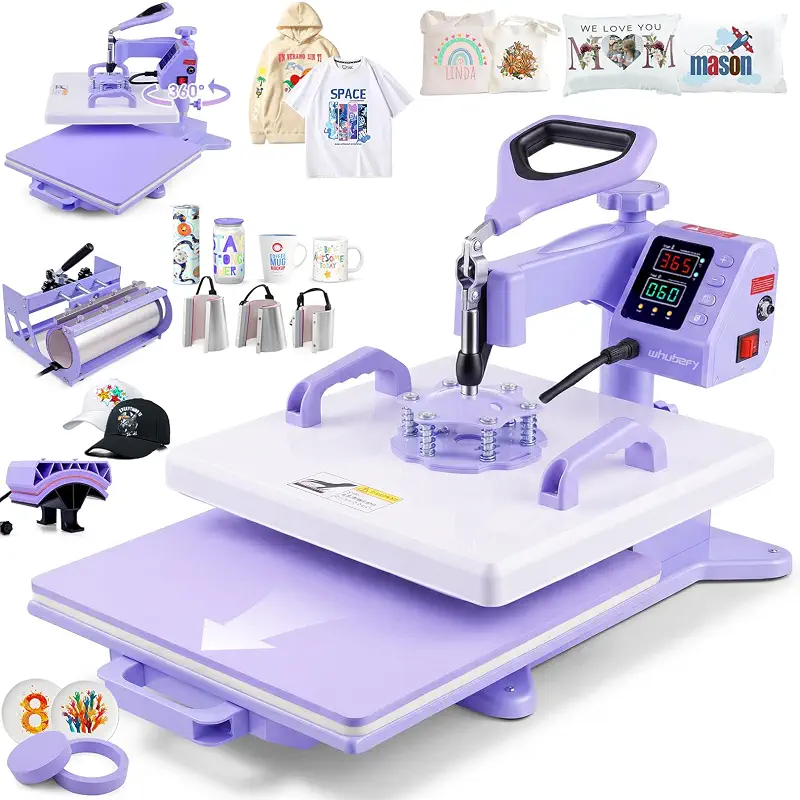
15x15 Heat Press 8 in 1 with 30oz Tumbler Press, Slide Out & 360°Swing Away | PID Temp Control+Industrial Quality Teflon-Coated|for DIY Creators & Small Businesses|for T-Shirt/Tumbler/Mug/Hat/Cap/Plate
4.5(94)
Fifteen-inch heat press with PID temperature control, 360-degree swing arm, and eight specialized attachments.
Ideal for: Multi-product small businesses, commercial crafters, DIY makers wanting one comprehensive machine.
The Whubefy Heat Press 8 in 1 targets buyers who want the broadest possible feature set: a large 15×15 inch main platen for oversized t-shirt designs, PID temperature control for precision heating, eight swappable mug and cup attachments (10, 12, and 17 oz latte styles), a 30 oz tumbler head, hat press, and dual plate attachments. The 360-degree swing-away arm and slide-out bottom drawer are well-engineered, reducing the risk of accidental burns and making design placement easier. The dual-tube heating system with Teflon-coated plates is industrial-grade equipment aimed at commercial users and high-volume crafters.
PID temperature control (which actively adjusts heating to maintain your set point) sounds premium, though one reviewer noted that even with PID, the actual temperature runs off by several degrees, requiring trial and error to dial in. That's not uncommon in consumer-grade equipment, but it's worth knowing if you value precision. Two concerning reviews flagged durability issues: one user reported the tumbler attachment losing pressure after 40 presses, and another experienced a burned-out power switch after 5 months of heavy use, with unresponsive customer support. Those outliers are worrying if you're betting on reliability for a business. However, most reviews are glowing, praising the build quality and ease of switching between attachments.
Compared to the BetterSub, the Whubefy offers a much larger main platen and more diverse attachment options, making it a genuine all-in-one. But the BetterSub's tighter focus on cup work may deliver more stable, repeatable results for mug-centric operations. The mug press heat settings guide can help you dial in the right temperature and time for either system.
Pros
Largest main platen (15×15 inches) for full-size t-shirt and large item designs
Eight attachments cover mugs, tumblers, hats, plates, and shirts in one system
PID temperature control maintains target heat, auto-standby after 30 minutes
Swing-away arm and slide-out drawer reduce burn risk and improve workflow
Cons
Temperature calibration runs off actual set point; requires testing and adjustment
Scattered reports of attachment wear and power-switch failure under heavy use
Key features
15×15 inch main platen with dual-tube heating system and Teflon coating
Eight mug and tumbler attachments plus hat and plate presses included
Wide temperature range 32–450°F with PID control and 0–999 second timer
Two heat-resistant silicone mats rated to 750°F, adjustable pressure knobs
#5 Pick
Best for Beginners
Cricut
Cricut Mug Press + 12 Blank Mugs (12oz Each)
4.6(484)
Fully automatic machine with no learning curve, included mugs, and consistent results from the first press.
Ideal for: First-time mug makers, gift-givers new to personalization, hobbyists seeking zero-stress results.
If you're new to mug sublimation or heat transfer and worried about fumbling with temperature dials and timers, the Cricut Mug Press is the gentlest entry point. Reviewers who explicitly noted it was their first mug press highlighted how straightforward the process felt: design, align, press, done. That simplicity matters emotionally, especially if you're investing in new equipment and worried about wasting money on a learning curve. The automatic heat and pressure take the guesswork out, so you're not second-guessing whether you've set the temperature too high or left it on too long.
The included bundle of 12 blank mugs removes another friction point. You're not hunting for compatible blanks or placing a separate order before you can start. Beginners often buy a machine and then stare at it for two weeks waiting for supplies; this bundle sidesteps that. The peel-proof, dishwasher-safe results mean your first projects look like you know what you're doing, which builds confidence and encourages experimentation.
The tradeoff is flexibility. You're locked into Infusible Ink as your primary transfer method, and if you later decide to explore sublimation or DTF, you'd either need to adapt workflows or consider a second press. The best mini heat press machines offer more control but demand more skill to master. For beginners, the Cricut's automation is a feature, not a limitation.
Pros
One-touch operation eliminates temperature and pressure decisions
Includes 12 ceramic blank mugs to eliminate supply-chain friction
Professional results from first use build confidence and encourage creativity
Lightweight and compact, fits any home crafting space
Cons
Locked into Infusible Ink ecosystem, limited transfer method flexibility
No countdown timer between presses, requires manual timing discipline
Key features
Patented zone-heating technology for consistent heat across the mug surface
Automatic heat and pressure with no manual adjustments required
Compatible with 11 oz to 16 oz Cricut-branded ceramic mugs
Auto-off safety feature and USB registration with Design Space software
How to Choose a Mug Press Machine
Four trade-offs that actually matter when matching a mug press machine to your kitchen.
Single-Use vs. Multi-Attachment Systems
Dedicated mug presses like the Cricut focus entirely on mugs and deliver simplicity and automation in return. If your main goal is making personalized mugs for gifts or a small side business, a single-use press saves money and counter space. Multi-attachment systems like the Slendor and Whubefy let you press t-shirts, hats, and plates from the same machine, which appeals to crafters building a broader product line. The tradeoff is complexity: more attachments mean more setup time and more settings to dial in. Consider your current and near-future output mix before choosing.
Transfer Method Compatibility
Not all presses handle all transfer materials equally. Infusible Ink, sublimation, heat transfer vinyl (HTV), and direct-to-film (DTF) each have different temperature and pressure needs. The Cricut Mug Press is optimized for Infusible Ink. If you're already sublimating or want to experiment with multiple methods, a system with fully programmable temperature and time controls (like the BetterSub or Whubefy) gives you room to test and adapt. Check the mug press heat settings guide to understand how temperature and dwell time affect your chosen transfer method before committing to a machine.
Production Volume and Workflow
A single Cricut press handles casual gift-making beautifully but slows you down if you're selling. The BetterSub's dual mug capacity cuts pressing time in half for matching sets or repeat orders. Multi-attachment systems add flexibility but increase setup friction between projects. If you're making 5–10 mugs per week as a hobby, simplicity wins. If you're printing 30–50 mugs weekly for a business, dual capacity or faster cycling becomes worth the added complexity. Think about your production target first, then pick the machine architecture that matches.
Temperature Stability and Calibration
Automatic presses like the Cricut remove calibration entirely; you press and trust the result. Digital systems demand more hands-on adjustment. Some owners report that the actual temperature drifts from the set point, requiring trial-and-error to dial in the right settings. If you're comfortable experimenting and tweaking, programmable presses offer freedom. If you want repeatability without fuss, a fully automatic machine worth the premium. Budget time for test runs on scrap blanks before committing final designs, especially with manual temperature systems.
Mug Brand and Size Compatibility
Different machines fit different mug diameters and sizes. The Cricut works with 11–16 oz Cricut-branded mugs. Multi-attachment systems like the Slendor have multiple mug press heads for different sizes, but reviewers noted compatibility varies by brand and shape. Before buying, check the size range and test-fit any mugs or tumblers you currently own or plan to use. Attachment narrowness is a real issue; one user couldn't fit a tumbler at all despite buying an 8-in-1 system. If you have a favorite mug blank supplier, verify it works with your chosen press.
Frequently asked
Quick answers to the questions readers ask most.
Can I use different mug brands with these presses?
The Cricut Mug Press is optimized for Cricut-branded blanks but can work with other 11–16 oz ceramic mugs if the shape matches. Multi-attachment presses like the Slendor and BetterSub have wider compatibility, but each includes attachments for specific sizes. Always test-fit your mugs before purchase. Some brands and shapes won't slide into narrow attachment sleeves, so verify dimensions with the seller or check buyer reviews for your specific blank type.
How long does it take to press a mug?
Most presses finish a single mug in 45 seconds to 2 minutes, depending on the transfer method and mug size. The Cricut is typically 3–5 minutes per mug due to its longer automatic cycle. Dual-position presses like the BetterSub cut time in half when pressing two mugs simultaneously. Larger tumblers (30–40 oz) may require two presses (one per half) and longer dwell times, adding another 1–2 minutes per item.
What temperature should I use for sublimation on mugs?
Sublimation typically requires 380–400°F for 45–60 seconds on ceramic mugs, though exact settings depend on your transfer paper and ink. Infusible Ink runs hotter (around 450°F for 30–45 seconds). Always print test designs on scrap blanks first to dial in your specific press and transfer method. Temperature calibration varies between machines, so your actual press temperature may drift from the digital readout: trial and error is part of the process.
Are these machines safe for home use?
All five machines listed carry UL, CSA, or equivalent safety certifications. The Cricut includes an auto-off feature, and most digital presses have thermal cutoffs to prevent overheating. The main safety concern is burn risk from open heating plates. Swing-away and sliding-drawer designs (Slendor, Whubefy) reduce accidental contact. Always work in a ventilated space, as sublimation and heat transfer emit vapor. Keep hands clear of the platen during operation, and allow machines to cool before cleaning.
Can I use a mug press for tumblers and other items?
Dedicated mug presses like the Cricut are designed for mugs only. Multi-use systems like the Slendor and Whubefy include tumbler, hat, plate, and t-shirt attachments, letting you press a wide range of items. However, attachment compatibility varies by item size and shape. Larger tumblers (30–40 oz) require specialized attachments and may need two-stage pressing (half wrap at a time). Check the mug and tumbler press differences to understand the trade-offs between single-use and multi-use machines before committing.