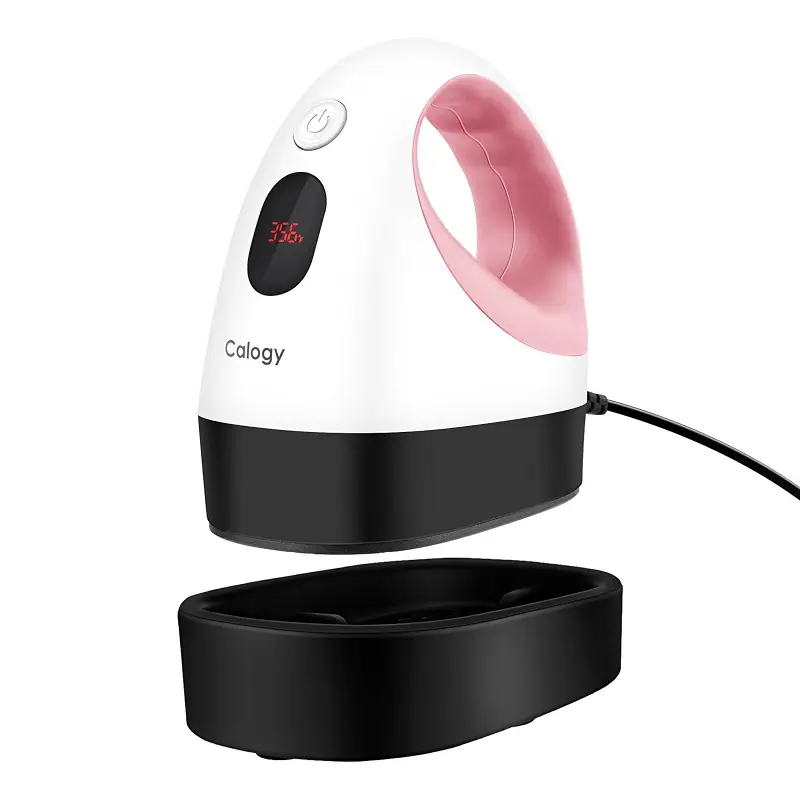
Ideal for: Budget-conscious crafters, beginners exploring heat transfer, small business owners seeking backup equipment.
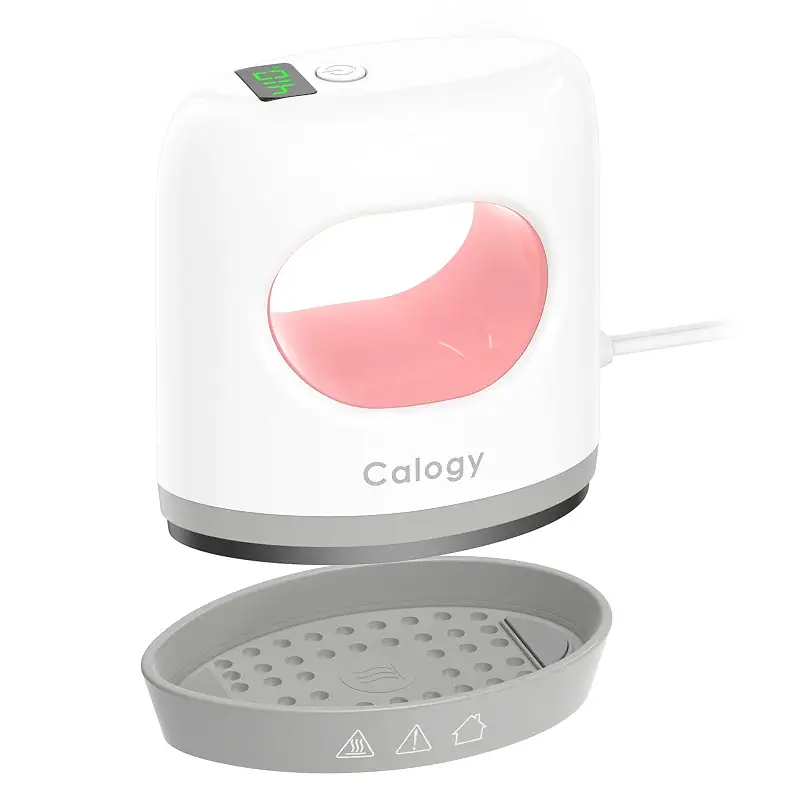
The Calogy mini heat press earns its strong reputation through straightforward design and consistent results. Users report clean, even heat distribution across small projects (everything from vinyl appliques to perler beads) and I'd credit the ceramic-coated plate and three distinct temperature settings (284°F, 320°F, 356°F) for that reliability. Heating from a cold start to its lowest setting takes around three minutes, which owners find reasonable for quick touchups or craft sessions. The single-button interface works well enough if you're comfortable cycling through options, though some may find the tactile feedback less intuitive than a dial or multi-button layout.
Where the Calogy holds its own against more established brands is durability and safety features. The insulated base prevents accidental surface damage, and the 15-minute auto-shutoff is a genuine safeguard. One legitimate caveat: a few buyers noted that temperature readings fluctuate slightly during use (the display might show 362°F one moment and dip toward 297°F before stabilizing) so it's not a true constant-temp machine, though drift of that scale rarely impacts final results on fabric or vinyl.
Compared to the Cricut options, this machine trades brand prestige and design refinement for cost savings and a simpler learning curve. If your workflow emphasizes speed and you're not fussy about matching a color-coordinated device ecosystem, the Calogy gives you 90% of the capability at a much lower investment.
Pros
Heats to minimum temperature in under 3 minutes
Evenly distributed heat across the small plate
Auto-off safety feature with insulated base
Single-button control simplifies setup
Cons
Temperature can fluctuate within a 60-degree range during pressing
Single-button interface requires multiple presses to adjust settings
Key features
Three temperature settings from 284°F to 356°F with LED display
Compact 4.5 x 2.9 x 5.1 inch footprint fits small workspaces
Removable power cord enables portable storage and travel
Ergonomic handle designed for extended comfort during small project work
#2 Pick
Best Premium Pick for Cricut Users
Cricut
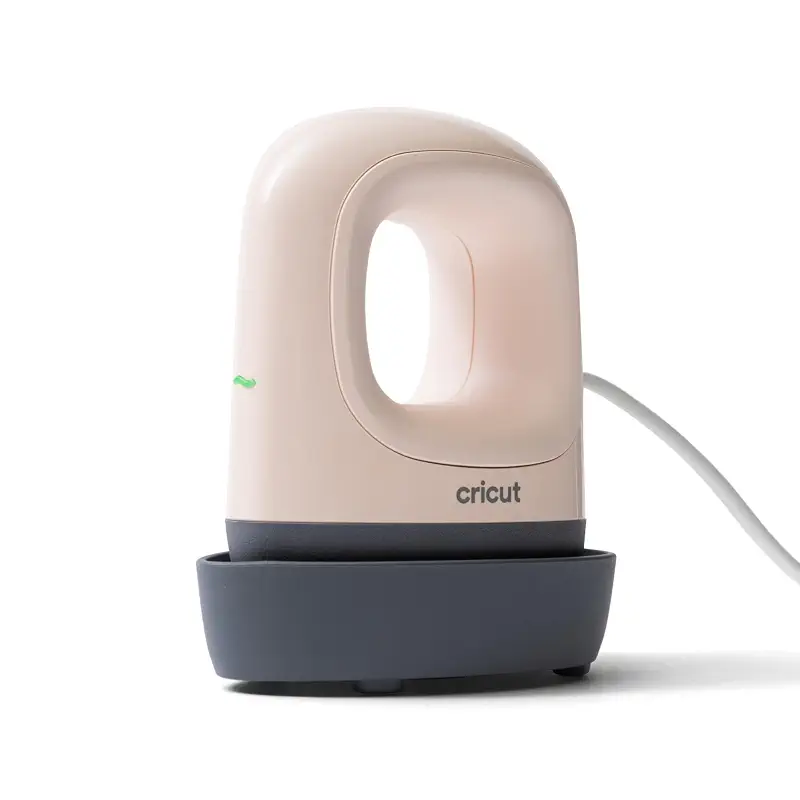
Cricut EasyPress Mini™ LT - Blush Pink - Mini Heat Press | Pressing Shoes, Baby Clothes, T-Shirts, & More - Easy to Use with a Single Setting - Precision Tip - Portable Mini Iron
4.8(549)
Lightweight, single-setting Cricut mini press with ceramic coating and precision tip; ideal for Cricut owners seeking streamlined, curated heat transfer.
Ideal for: Cricut machine owners, crafters who value curated guidance and brand integration over temperature flexibility.
The Cricut EasyPress Mini LT (Blush) targets a specific audience: existing Cricut users who want a compact heat press that integrates with Cricut's ecosystem and Heat Guide: a curated resource that tells you exact temperatures, timing, and materials for thousands of compatible blanks and vinyl brands. That integration cuts decision paralysis out of the equation. You press a button, let the guide tell you how long, and move on.
What sets this model apart is the single-setting philosophy. Instead of cycling through three or four temperature options, this version uses one optimized heat level (355°F maximum). For owners who primarily work with Cricut's own Infusible Ink or standard heat transfer vinyl, that simplification is genuinely elegant. The ceramic-coated plate stays cleaner longer, and the precision tip does what it claims: gives you surgical control around buttons, seams, and tight corners.
One trade-off: flexibility. For those also exploring a toaster oven for sublimation on mugs or tiles, this narrow range, below 300°F or above 355°F, means you'll reach the ceiling fast with heat-sensitive or high-temp materials. The three-setting Cricut EasyPress Mini (Raspberry) model offers more range, so you're picking between convenience and versatility. Also note that this model carries Cricut's premium pricing; compared to the Calogy or Htvront, you're paying partly for the brand and the Cricut ecosystem integration rather than raw specs alone.
Pros
Ceramic-coated heat plate reduces sticking and simplifies cleanup
Precision tip excels on small, detailed, or curved surfaces
Cricut Heat Guide provides curated settings for thousands of materials
Lightweight and portable with included safety base
Cons
Single setting limits use with materials requiring temperatures below 300°F
Premium pricing reflects Cricut brand positioning
Key features
Single optimized heat setting reaches 355°F with ceramic-coated plate
Precision tip for edge-to-edge heat control on small projects
Integrated with Cricut Heat Guide for material-specific instructions
Insulated safety base and auto-off feature included
#3 Pick
Best for Flexibility and Control
Cricut
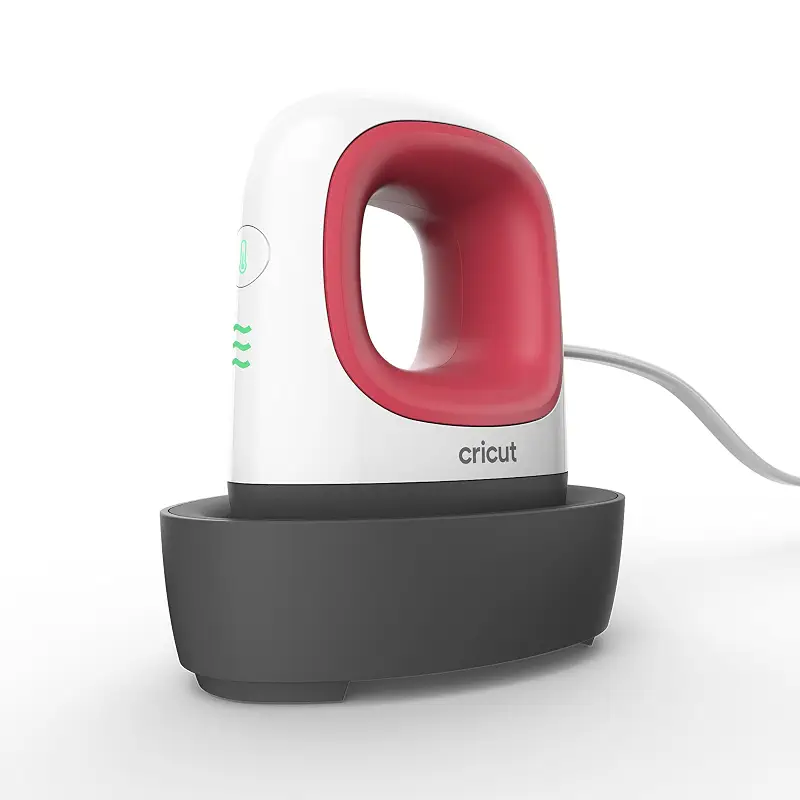
Cricut EasyPress Mini Heat Press - Raspberry | For Pressing Small Objects Like Shoes, Stuffed Animals, Hats & More - 3 Heat Settings & Precision Tip
4.8(258)
Three heat settings with precision tip and durable build; versatile for HTV, Infusible Ink, sublimation, and quilting applications.
Ideal for: Cricut users doing diverse heat transfer projects, quilters, crafters needing low-temp capability on delicate materials.
The Cricut EasyPress Mini (Raspberry) steps up the Cricut lineup by adding three distinct heat levels: a move that dramatically expands the range of materials you can tackle. With settings at roughly 284°F, 320°F, and 356°F, you're covered for delicate synthetics, standard cotton apparel, and heavy-duty substrates. Unlike the single-setting LT version, this model plays well with non-Cricut vinyl and specialty materials without forcing you to choose between brands or compromise.
Owners consistently praise the three-heat design for reducing trial-and-error, especially on unusual projects like perler beads, felt, or quilting seams where precision and lower temperatures matter. The dial selector (rather than buttons on some competitors) gives tactile feedback and makes switching between levels intuitive even mid-project. Build quality feels solid: users mention the cord's thickness and durability, and the auto-off feature has earned trust among busy crafters who might forget to unplug.
The only real limitation: you're still working with a mini footprint, so large designs require sectioning. Compared to the Calogy Super Mini, which reaches 410°F with four settings, the Cricut maxes out at 356°F: a gap that matters if you're into high-heat sublimation work or extremely durable transfers on dark fabrics. But for the majority of heat transfer, applique, and embellishment work, this middle ground between simplicity and range proves ideal.
Pros
Three distinct heat settings cover delicate to heavy-duty materials
Dial selector offers tactile, intuitive temperature adjustment
Durable construction with thick power cord and reliable safety base
Fast heat-up and even temperature distribution across small plate
Cons
Premium positioning limits competitive pricing against non-brand alternatives
Maximum temperature (356°F) may fall short for high-temp sublimation applications
Key features
Three heat settings from 284°F to 356°F with dial selector
Ceramic-coated plate with precision tip for detailed control
Lightweight, portable design with insulated safety base included
Auto-off feature and compliance with UL, CSA, and FCC safety standards
#4 Pick
Best for DIY and Small Business
Htvront
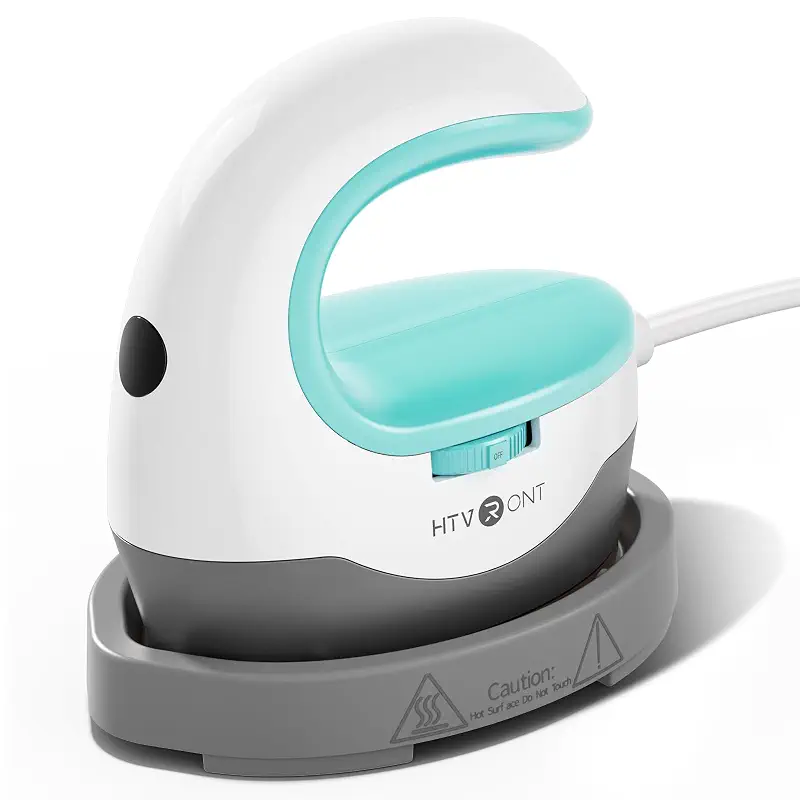
HTVRONT Heat Press Mini Heat Press Machine, Mini Iron for Perler Beads, Small Heat Press Portable Iron Press Machine for T Shirts, Hats, Heating Transfer Projects (Mint)
4.6(5,652)
Dial-controlled three-temp mini press with rapid heat-up and robust build; excellent value for small-batch production.
Ideal for: Small business owners, craft fair vendors, experienced DIY crafters doing repetitive heat transfer projects.
The Htvront mini heat press strikes a balance between the budget simplicity of the Calogy and the brand-name reassurance of Cricut, and many small business owners use it precisely for that reason. The dial-based temperature control (three settings spanning 284°F to 356°F) feels more reliable than button cycling, and users who've owned multiple brands often mention preferring the mechanical feedback. Heating to max takes roughly the same time as competitors (under four minutes from cold) but what sets Htvront apart is the claim of saving 20 seconds compared to other brands, and enough buyers confirm that edge to suggest it's real.
What I hear most from small producers is that this machine handles repetitive work without fatigue. The weight and grip are balanced for extended sessions (craft fairs, custom orders), and the included insulated base keeps your work surface safe when you're switching between pieces quickly. The sturdy construction (owners describe it as feeling substantial without being heavy) suggests longevity, and the fact that Htvront offers customer service directly on Amazon is worth noting if something goes wrong.
One legitimate drawback: it tops out at 356°F, so it shares the ceiling limitation of the standard Cricut. If you're experimenting with very high-temp sublimation or DTF (direct-to-film) transfers on dark, challenging substrates, the Calogy Super Mini's 410°F capability would outperform this. Still, for standard HTV vinyl, patches, and small appliques (the bread and butter of small-batch sellers) the Htvront delivers consistent results at a competitive price point, and the dial interface feels more intuitive than single-button cycling.
Pros
Dial selector for intuitive temperature adjustment without button cycling
Rapid heat-up with claims of 20-second speed advantage over competitors
Sturdy, well-balanced construction designed for extended session work
Includes insulated base and storage bag for portability
Cons
Maximum temperature of 356°F limits high-heat specialty applications
Three settings may feel limiting for very delicate or experimental materials
Key features
Three heat settings controlled by mechanical dial from 284°F to 356°F
Compact, lightweight design with balanced grip for sustained use
Rapid heat-up time with consistent temperature maintenance during pressing
Comes with insulated base and carrying bag for storage and transport
#5 Pick
Best for Maximum Heat and Temperature Range
Calogy
Calogy Super Mini Heat Press Machine, Fast Up to Max 410℉ in 3Mins & 4 Heating Setting with LED Display, Mini Iron for Crafting with Precision Tip, Easy for Small Objects Like Shoes, Hats (White Pink)
4.7(635)
Four-temp super-compact press reaching 410°F in 3 minutes; ideal for high-heat transfers, sublimation, and materials demanding extreme temperatures.
Ideal for: Advanced crafters, small producers using DTF or sublimation inks, anyone requiring temperatures above 356°F.
The Calogy Super Mini Heat Press Machine is the outlier in this roundup: it trades user simplicity for raw capability. Four temperature settings (284°F, 320°F, 356°F, and 410°F) represent the widest range among these five options, and the top-end heat matters if you work with DTF (direct-to-film), high-temp sublimation, or performance materials that refuse to adhere at standard vinyl temperatures. The claim of reaching 410°F in just three minutes is backed by owners who confirm this machine genuinely outpaces others on speed.
Build quality and safety feel thought-through. The single-button interface (press to increase temp, press twice to decrease, three times to toggle Celsius/Fahrenheit) initially sounds fiddly, but experienced crafters adapt quickly, and the LED display shows real-time readings so you're never guessing. The internal overheating sensor adds a layer of protection that lower-priced alternatives skip. One owner specifically praised the ability to apply full vinyl adhesion with a heat protection sheet, suggesting the sustained heat output is genuinely robust.
The trade-off: complexity and the slightly higher price point. This isn't a "grab and go" machine for beginners; you're buying capability you may grow into. Also, the silicone ring that stabilizes the base is reportedly fiddly to install initially, though once seated it works fine. Compared to the standard Cricut or Htvront, the Calogy Super Mini demands a bit more attention but rewards you with flexibility for specialty materials. If your projects ever venture into DTF or high-temp sublimation, this is the machine that won't hold you back.
Pros
Four temperature settings including 410°F for high-heat specialty transfers
Reaches maximum temperature in just 3 minutes
Internal overheating sensor and durable build designed for heavy use
Long 6.49-foot power cord enables work flexibility across spaces
Cons
Single-button control cycle requires multiple presses to adjust settings
Silicone base ring reportedly difficult to install initially
Key features
Four heat levels from 284°F to 410°F with single-button control
Ultra-compact 4.25 x 4.02 x 2.44 inch pocket-sized design
Precision tip heating plate for small, detailed heat transfer work
Extended 6.49-foot power cord and auto-off after 15 minutes of inactivity
How to Choose a Mini Heat Press
Four trade-offs that actually matter when matching a mini heat press to your kitchen.
Temperature Range and Your Materials
The sweet spot for most heat transfer vinyl sits between 320°F and 356°F. If you're starting out with standard HTV or Cricut Infusible Ink, any of these five machines will handle it. But if you're considering perler beads, sublimation transfers, or performance fabrics like athletic wear, you'll want to look at the high-end capability. The Calogy Super Mini's 410°F setting opens doors that 356°F machines cannot. Conversely, delicate synthetics and some specialty vinyl sometimes demand temperatures below 300°F, so check what you're planning to press before you settle on a model with limited low-end flexibility.
Control Interface: Simplicity vs. Precision
Single-setting machines (like the Cricut EasyPress Mini LT) are fastest to learn and require zero guesswork if you're working with Cricut's Heat Guide. Multi-button or single-button cycling systems (Calogy, Cricut standard, Htvront) let you dial in whatever temperature you need, but they demand a moment of attention each time you adjust. Dial selectors (Htvront, Cricut standard) feel more tactile and intuitive than repeated button presses. Think about your workflow: if you're running a single project type repeatedly, simplicity wins. If you're bouncing between different materials and heat settings, a dial or multi-step interface pays dividends.
Heat Plate Size and Precision
All five mini presses feature compact plates: typically 2.9 to 4.4 inches on the longest side. A 'precision tip' design (found on most Cricut models and the Calogy Super Mini) tapers to a point, making it easier to work around buttons, seams, and tight curves without accidentally pressing unwanted areas. This matters if you're doing detailed garment work or small craft items. Larger plates heat faster and handle bigger designs, but they sacrifice the surgical control you need on small, complex projects. Choose based on whether you prioritize fine detail or speed.
Build Quality and Longevity
Ceramic-coated plates resist sticking and reduce maintenance compared to bare metal. Cricut models highlight ceramic coating explicitly. Weight and balance matter if you're using the press for an hour or more at a time; the Htvront earns praise for feeling substantial without being fatiguing to hold. Auto-off features (standard across all five) protect both the machine and your home if you forget to unplug. Look for machines with thick power cords, stable bases, and positive reviews mentioning durability over months of use. Budget-friendly options like the base Calogy perform well, but premium brands like Cricut typically offer longer-term reliability if budget allows.
Portability and Storage
If you're attending craft fairs, working from multiple locations, or have limited counter space, weight and included storage matter. All five machines weigh under two pounds, so they're genuinely portable. Removable power cords (Calogy) and included carrying bags (Htvront) make travel easier. The insulated safety base, standard on all models, doubles as a stable resting platform when the press is hot, so you're not scrambling for a safe place to set it down mid-project. Consider whether the best mini heat press will live on a dedicated shelf or rotate between spaces.
Frequently asked
Quick answers to the questions readers ask most.
What's the difference between a mini heat press and a regular iron?
A heat press applies consistent, even pressure and heat across a flat surface: ideal for transfers. An iron requires you to hold it manually and control pressure by hand, which often leads to uneven adhesion and can damage delicate designs. Mini heat presses use built-in timers, temperature displays, and mechanical pressure to produce repeatable, professional-quality transfers. They're also significantly hotter and more stable than craft irons.
Can I use a mini heat press on large designs?
Yes, but it requires patience. You work in sections, pressing overlapping areas to cover the full design. Most buyers find this workable for designs up to 6-8 inches across, though anything larger becomes tedious. If you're planning to do primarily large designs regularly, a full-size heat press is a better investment. Mini presses truly excel when your projects are small or when you need precision on hard-to-reach spots like sleeves or hat brims.
Do I need a specific type of heat transfer material for a mini press?
No. Mini presses work with the same materials as full-size machines: heat transfer vinyl (HTV), Infusible Ink, sublimation transfers, and patches. The only limitation is material size: you're constrained by plate dimensions. Always check the manufacturer's temperature and timing recommendations for your specific vinyl or ink brand, as they vary. Cricut's Heat Guide is a helpful resource if you use Cricut materials.
How long does it take for a mini heat press to heat up?
Most models reach their minimum working temperature (around 284°F) in 2 to 4 minutes from a cold start. The Calogy Super Mini claims to reach its maximum (410°F) in 3 minutes, which is faster than most. Once warm, if you're adjusting between settings, heat-up time between levels is typically 30 to 60 seconds. For frequent projects, many crafters leave the press on its lowest idle setting to reduce wait time between presses.
Are mini heat presses safe for beginners?
Yes, all five machines here include safety features: insulated bases prevent desk burns, auto-off timers eliminate the risk of leaving them on unattended, and the metal surfaces cool quickly once powered down. The main rule is common sense: don't touch the hot plate directly, use the handle, and let it cool before storing. Younger crafters should have adult supervision, but these machines are designed to be far safer than free-standing irons or tabletop ovens.